Microsoft Team Offboarding Guide
Complete Process for Project Managers
Introduction: The Importance of Structured Offboarding
When a Microsoft Teams project reaches completion, proper offboarding ensures security, preserves institutional knowledge, and protects organizational assets. Studies show that 59% of companies experience data breaches linked to poor offboarding practices, and 95% of cybersecurity incidents stem from human error [1]. A structured offboarding process mitigates these risks by systematically revoking access, recovering equipment, and transferring critical knowledge before team members transition to new assignments. This guide provides project managers with a comprehensive checklist covering the complete offboarding lifecycle from initial planning through final closeout. The process encompasses administrative tasks such as access removal and asset collection, knowledge transfer protocols, documentation handover, and compliance verification. By following these standardized procedures, project managers can ensure nothing is overlooked during team transitions, reducing security vulnerabilities and maintaining business continuity.
Pre-Offboarding Planning and Preparation
Effective offboarding begins before the project ends. Project managers should initiate preparation 14+ days before team members’ departure dates [2]. Key planning activities include:
• Confirming offboarding authorization and effective dates for all team members
• Documenting special requirements such as email forwarding or delegation needs
• Identifying stakeholders who will need access to departing members’ data
• Creating an inventory of all assigned equipment and software licenses
• Reviewing all system access and group memberships
• Scheduling knowledge transfer sessions with remaining team members or successors
• Developing a transition plan for reassigning responsibilities
This preparation phase ensures logistics, compliance, and knowledge transfer are addressed well in advance, preventing last-minute chaos and overlooked security gaps [3].
Microsoft 365 Access Removal and Account Management
Access removal forms the foundation of secure offboarding. The systematic deactivation process includes multiple critical steps executed in proper sequence. First, disable user accounts in Microsoft Entra ID (Azure AD) and verify accounts show as blocked in the Microsoft 365 admin center . Next, reset passwords and force sign-out from all active sessions using PowerShell for comprehensive session termination . Remove users from all on-premises Active Directory groups, Microsoft 365 groups, distribution lists, and security groups, documenting group memberships for reference . Convert user mailboxes to shared mailboxes to preserve email access for authorized personnel while freeing licenses (note: mailboxes exceeding 50GB may require Exchange Online Plan 2 licenses) . Hide mailboxes from the Global Address List to prevent continued visibility in address searches . Configure email forwarding only when required, enabling external forwarding for specific groups first if needed . Finally, remove mailbox delegations except those required for authorized personnel, documenting all remaining delegations and their purpose [4].
| Access Type | Action Required | Timeline | Verification Step |
| Microsoft Entra ID (Azure AD) | Disable user account and verify blocked status in Microsoft 365 admin center | Immediate | Confirm account shows as blocked in admin portal |
| Active Sessions | Reset password and force sign-out from all active sessions using PowerShell | Within 1 hour | Verify no active sessions remain |
| Group Memberships | Remove from all AD groups, Microsoft 365 groups, distribution lists, and security groups; document memberships | Within 4 hours | Check all group membership lists |
| Mailbox | Convert user mailbox to shared mailbox (note: >50GB requires Exchange Online Plan 2 license) | Within 24 hours | Confirm mailbox converted and accessible |
| Global Address List | Hide mailbox from GAL to prevent continued visibility | Within 24 hours | Search GAL to confirm mailbox hidden |
| Email Forwarding | Configure forwarding only if required; enable external forwarding for specific groups first | As needed | Test forwarding functionality |
| Mailbox Delegations | Remove all delegations except authorized personnel; document remaining delegations and purpose | Within 48 hours | Review delegation list for accuracy |
Equipment and Asset Recovery Protocol
Recovering company-owned devices and property is critical for asset tracking, cost control, and data security. Project managers must create a comprehensive inventory documenting all assigned equipment including laptops, monitors, keyboards, mice, headsets, webcams, mobile phones, security badges, access cards, and any specialized project equipment. For each item, record the device type, serial number, condition assessment, and return date. Remote or hybrid team members require special handling with secure packaging, clear communication about return procedures, and complete tracking from pickup to delivery [2]. Upon return, perform forensic analysis of company devices to uncover potential security risks, securely wipe all devices using remote access tools, and verify data removal before reassignment [5]. Document the condition of returned equipment, noting any damage or missing items, and update asset management systems to reflect returns. Unreturned equipment should be tracked with follow-up reminders sent at regular intervals until all assets are accounted for.
| Equipment Type | Required Actions | Responsible Party | Deadline |
| Computing Hardware (laptops, monitors, keyboards, mice) | Create inventory with serial numbers, assess condition, arrange secure return shipping for remote staff | Project Manager & IT Asset Management | Within 3 business days of project end |
| Communication Devices (headsets, webcams, mobile phones) | Document device details, coordinate return logistics, verify all accessories included | Project Manager | Within 3 business days of project end |
| Access Control (security badges, access cards, key fobs) | Collect physical credentials, disable card access in security system, update access logs | Project Manager & Security Team | Immediately upon project completion |
| Specialized Equipment (project-specific tools, testing devices) | Inventory specialized items, document condition and calibration status, transfer to equipment pool | Project Manager & Technical Lead | Within 5 business days of project end |
| Data Security (forensic analysis, device wiping) | Perform forensic analysis for security risks, execute secure data wiping protocols, verify complete data removal | IT Security Team | Before device reassignment |
| Asset Tracking (documentation updates) | Update asset management system with return dates and condition, track unreturned items with regular follow-ups | IT Asset Management | Ongoing until 100% recovery |
Knowledge Transfer and Documentation Handover
Knowledge transfer prevents costly disruption when team members depart. Research shows a large share of institutional knowledge exists only in individuals’ minds, making structured capture essential. Project managers should prioritize role-critical procedures (recurring tasks that keep operations running), decision rationale (why non-obvious decisions were made), relationship knowledge (key contacts within vendors or clients), tacit heuristics (habits and shortcuts preventing recurring problems), and compliance documentation required for legal or regulatory obligations.
Use a quick triage framework: ask what breaks if knowledge disappears (high impact equals high priority), whether knowledge is unique to one person (unique equals high priority), how often it’s needed (daily or weekly requires immediate capture), and who needs it next [6].
Knowledge Transfer Priority Framework
| Knowledge Type | Priority Level | Rationale |
| Role-critical procedures | High | Recurring tasks essential for operations |
| Decision rationale | High | Context for non-obvious choices |
| Relationship knowledge | Medium | Key vendor and client contacts |
| Tacit heuristics | Medium | Habits preventing recurring problems |
| General documentation | Low | Widely available information |
Schedule dedicated knowledge transfer sessions allowing departing members to walk successors through critical workflows. Create centralized knowledge repositories using Microsoft Teams for documentation storage [7]. Require departing members to document current responsibilities, transfer key contacts, communicate project status, and provide handover notes covering active tasks, pending decisions, and important context [2]. Validate transferred knowledge through review sessions and shadowing to ensure successors can perform critical tasks independently.
Data Backup, Transfer, and Security Procedures
Data protection during offboarding requires systematic backup and secure transfer protocols. Before disabling any accounts, back up or transfer all important files from user OneDrive accounts, Exchange mailboxes, and Teams chat histories to ensure business continuity. Microsoft 365 automatically purges inactive accounts after a short grace period, which can permanently erase critical business records without proper planning. Use archival tools to capture and preserve the user’s entire digital footprint within your Azure tenant, creating secure and immutable records accessible to authorized teams [8].
Identify shared accounts requiring password changes and update credentials immediately upon departure [2]. Revoke all VPN access, API keys, and multi-factor authentication (MFA) tokens to close security gaps. For remote workers, remotely wipe company data from personal devices if necessary, documenting all data removal actions for compliance and auditing.
Transfer ownership of critical files and folders to appropriate team members, ensuring continuity of access for ongoing projects. Update internal directories and set up email auto-replies notifying contacts of the team member’s departure and providing alternative contacts [3].
License Management and Software Deactivation
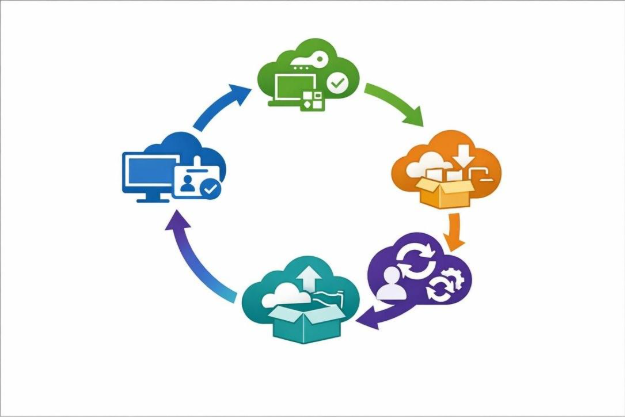
Proper license management during offboarding can yield significant cost savings, with organizations recovering up to 30% in software costs through systematic license reclamation [5]. Project managers should identify all software licenses assigned to departing team members including Microsoft 365 subscriptions, specialized project software, cloud application access, and third-party tools. Deactivate or reallocate licenses promptly to avoid unnecessary subscription charges. Document which licenses can be reassigned to other team members versus those that should be canceled entirely.
Review administrative access to subscriptions, social media accounts, software platforms, Teams sites, and shared mailboxes, transferring administrative rights and changing passwords as needed [7]. Update billing systems to reflect license changes and ensure accurate cost allocation for future periods. Maintain a license inventory tracking system showing which team members hold which licenses, facilitating quick identification during offboarding and preventing unused subscriptions from continuing unnoticed.
Communication and Stakeholder Management
Clear communication ensures smooth transitions and maintains team morale during offboarding. Project managers should announce departures through proper channels with appropriate discretion, informing team members, stakeholders, and external partners who work with departing individuals [9]. Provide transition communications explaining how responsibilities will be reassigned and who will serve as the new point of contact for ongoing projects. Schedule formal handover meetings where departing members brief their successors and remaining team members on project status, pending tasks, and critical context.
Update team rosters, organizational charts, and contact lists to reflect changes. For client-facing roles, coordinate client notifications explaining the transition and introducing new contacts to maintain relationship continuity. Send farewell communications on the last day, acknowledging contributions while confirming the transition is complete.
Maintain respectful, professional tone regardless of departure circumstances, as negative exit experiences can damage employer brand and create alumni relations issues [10]. Document all communications for compliance purposes and future reference.
Exit Reviews and Continuous Improvement
Exit reviews provide valuable insights for improving future offboarding processes and addressing organizational issues. Conduct structured exit interviews covering the departing member’s experience with project workflows, team dynamics, management effectiveness, and suggestions for improvement [10]. Document feedback systematically to identify patterns across multiple departures that may indicate systemic issues requiring attention.
Review the effectiveness of knowledge transfer by checking whether successors can perform critical tasks without assistance. Verify all offboarding checklist items are complete including access removal, equipment return, license deactivation, and documentation handover. Conduct post-departure audits 30 days after the last day to confirm no lingering access exists and all assets have been properly accounted for.
Use lessons learned to update offboarding procedures, addressing any gaps or inefficiencies discovered during the process. Archive all offboarding documentation including checklists, exit interview notes, and asset inventories for compliance and future reference. Share anonymized feedback and process improvements with leadership to demonstrate the value of structured offboarding and build organizational support for continuous refinement [3].
References
[1] IT Offboarding Checklist: Prevent Data Leaks and Ensure Compliance …
[2] The Complete Employee Offboarding Checklist: 50+ Critical Tasks HR Can …
[3] Employee Offboarding Checklist – devicerescue.com
[4] Microsoft 365 Employee Offboarding Checklist | Iron Cove Solutions
[5] Offboarding Checklist for IT Tech – In Depth Guide
[6] Knowledge Transfer Best Practices for Offboarding
[7] Offboarding Checklist – Carleton University
[8] Mastering the User Off-Boarding Process – smikar.com